
Kubernetes powered PaaS that runs in your own cloud. https://porter.run
 abelanger5
9684fa2223
Merge pull request #1315 from porter-dev/belanger/por-114-template-upgrade-fix
abelanger5
9684fa2223
Merge pull request #1315 from porter-dev/belanger/por-114-template-upgrade-fix
|
4 tahun lalu | |
|---|---|---|
| .github | 8f962d513b Update release.yaml | 4 tahun lalu |
| api | 830dcabaf6 add back latest version field to release | 4 tahun lalu |
| build | 7efceae5c6 add back windows releases, fix compilation of portersvr and cred helper | 4 tahun lalu |
| cli | fb571b8f1c support cli option for waiting for a job run | 5 tahun lalu |
| cmd | 871e764630 consolidate entrypoint logging | 5 tahun lalu |
| dashboard | add2d004dd add cohere | 4 tahun lalu |
| docker | 8b8b9b137e update cli w correct endpoints, fix unmarshal error | 5 tahun lalu |
| docs | 709d066d94 Fix `--name` -> `--app` | 5 tahun lalu |
| helm | 6df88f8f2d [wip] removed pointers to repository interface, added authn and authn testing suite | 5 tahun lalu |
| internal | ebe711600b undo ws panic fix | 4 tahun lalu |
| scripts | 7efceae5c6 add back windows releases, fix compilation of portersvr and cred helper | 4 tahun lalu |
| services | 6c2a351167 rename folder | 5 tahun lalu |
| .air.toml | 10b411a49f update air toml file | 5 tahun lalu |
| .dockerignore | d7b83fb445 onboarding with default sqlite | 5 tahun lalu |
| .gitignore | b5d78b2705 attempt to fix merge conflicts | 5 tahun lalu |
| .prettierignore | 4369eef02d prettier | 5 tahun lalu |
| CONTRIBUTING.md | 556dd5fd52 Update CONTRIBUTING.md | 5 tahun lalu |
| LICENSE | 1f483861ca add MIT license | 5 tahun lalu |
| Makefile | 3e66c63791 addr relative base dir to pack args | 5 tahun lalu |
| README.md | 27aebecb18 update all locations with broken docs link | 5 tahun lalu |
| docker-compose.dev-secure.yaml | c337377e3f add team name to slack integration | 5 tahun lalu |
| docker-compose.dev.yaml | e065e9c33c api endpoint changes | 5 tahun lalu |
| go.mod | 2ce57f57ae add invite endpoints | 5 tahun lalu |
| go.sum | b5d78b2705 attempt to fix merge conflicts | 5 tahun lalu |
README.md
Porter



Porter is a Kubernetes-powered PaaS that runs in your own cloud provider. Porter brings the Heroku experience to your own AWS/GCP account, while upgrading your infrastructure to Kubernetes. Get started on Porter without the overhead of DevOps and customize your infrastructure later when you need to.

Community and Updates
For help, questions, or if you just want a place to hang out, join our Discord community.
To keep updated on our progress, please watch the repo for new releases (Watch > Custom > Releases) and follow us on Twitter!
Why Porter?
A PaaS that grows with your applications
A traditional PaaS like Heroku is great for minimizing unnecessary DevOps work but doesn't offer enough flexibility as your applications grow. Custom network rules, resource constraints, and cost are common reasons developers move their applications off Heroku beyond a certain scale.
Porter brings the simplicity of a traditional PaaS to your own cloud provider while preserving the configurability of Kubernetes. Porter is built on top of a popular Kubernetes package manager helm and is compatible with standard Kubernetes management tools like kubectl, preparing your infra for mature DevOps work from day one.
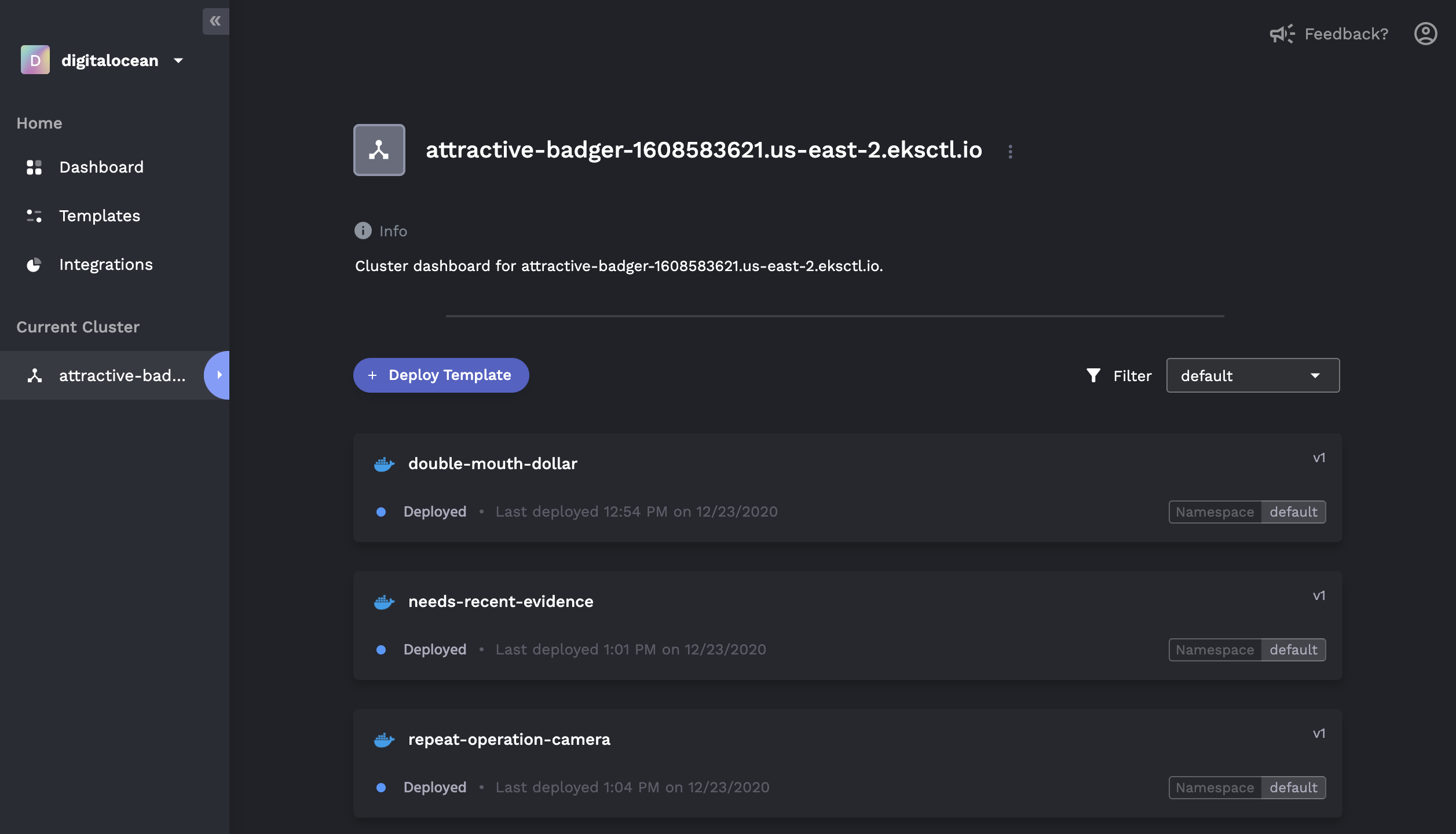
Features
Basics
- One-click provisioning of a Kubernetes cluster in your own cloud console
- ✅ AWS
- ✅ GCP
- ✅ Digital Ocean
- Simple deploy of any public or private Docker image
- Auto CI/CD with buildpacks for non-Dockerized apps
- Heroku-like GUI to monitor application status, logs, and history
- Application rollback to previously deployed versions
- Zero-downtime deploy and health checks
- Monitor CPU, RAM, and Network usage per deployment
- Marketplace for one click add-ons (e.g. MongoDB, Redis, PostgreSQL)
DevOps Mode
For those who are familiar with Kubernetes and Helm:
- Connect to existing Kubernetes clusters that are not provisioned by Porter
- Visualize, deploy, and configure Helm charts via the GUI
- User-generated form overlays for managing
values.yaml - In-depth view of releases, including revision histories and component graphs
- Rollback/update of existing releases, including editing of raw
values.yaml

Docs
Below are instructions for a quickstart. For full documentation, please visit our official Docs.
Getting Started
Sign up and log into Porter Dashboard.
Create a Project and put in your cloud provider credentials. Porter will automatically provision a Kubernetes cluster in your own cloud. It is also possible to link up an existing Kubernetes cluster.
🚀 Deploy your applications from a git repository or Docker image registry.
Running Porter Locally
While it requires a few additional steps, it is possible to run Porter locally. Follow this guide to run the local version of Porter.
Want to Help?
We welcome all contributions. If you're interested in contributing, please read our contributing guide and join our Discord community.
