
Kubernetes powered PaaS that runs in your own cloud. https://porter.run
 sunguroku
5c7e5196a4
Update production.yaml
sunguroku
5c7e5196a4
Update production.yaml
|
5 vuotta sitten | |
|---|---|---|
| .github | 5 vuotta sitten | |
| api | 5 vuotta sitten | |
| build | 5 vuotta sitten | |
| cli | 5 vuotta sitten | |
| cmd | 5 vuotta sitten | |
| dashboard | 5 vuotta sitten | |
| docker | 5 vuotta sitten | |
| docs | 5 vuotta sitten | |
| helm | 5 vuotta sitten | |
| internal | 5 vuotta sitten | |
| scripts | 5 vuotta sitten | |
| services | 5 vuotta sitten | |
| .air.toml | 5 vuotta sitten | |
| .dockerignore | 6 vuotta sitten | |
| .gitignore | 5 vuotta sitten | |
| .prettierignore | 5 vuotta sitten | |
| CONTRIBUTING.md | 5 vuotta sitten | |
| LICENSE | 6 vuotta sitten | |
| Makefile | 5 vuotta sitten | |
| README.md | 5 vuotta sitten | |
| docker-compose.dev-secure.yaml | 5 vuotta sitten | |
| docker-compose.dev.yaml | 5 vuotta sitten | |
| go.mod | 5 vuotta sitten | |
| go.sum | 5 vuotta sitten |
README.md
Porter



Porter is a Kubernetes-powered PaaS that runs in your own cloud provider. Porter brings the Heroku experience to your own AWS/GCP account, while upgrading your infrastructure to Kubernetes. Get started on Porter without the overhead of DevOps and customize your infrastructure later when you need to.

Community and Updates
For help, questions, or if you just want a place to hang out, join our Discord community.
To keep updated on our progress, please watch the repo for new releases (Watch > Custom > Releases) and follow us on Twitter!
Why Porter?
A PaaS that grows with your applications
A traditional PaaS like Heroku is great for minimizing unnecessary DevOps work but doesn't offer enough flexibility as your applications grow. Custom network rules, resource constraints, and cost are common reasons developers move their applications off Heroku beyond a certain scale.
Porter brings the simplicity of a traditional PaaS to your own cloud provider while preserving the configurability of Kubernetes. Porter is built on top of a popular Kubernetes package manager helm and is compatible with standard Kubernetes management tools like kubectl, preparing your infra for mature DevOps work from day one.
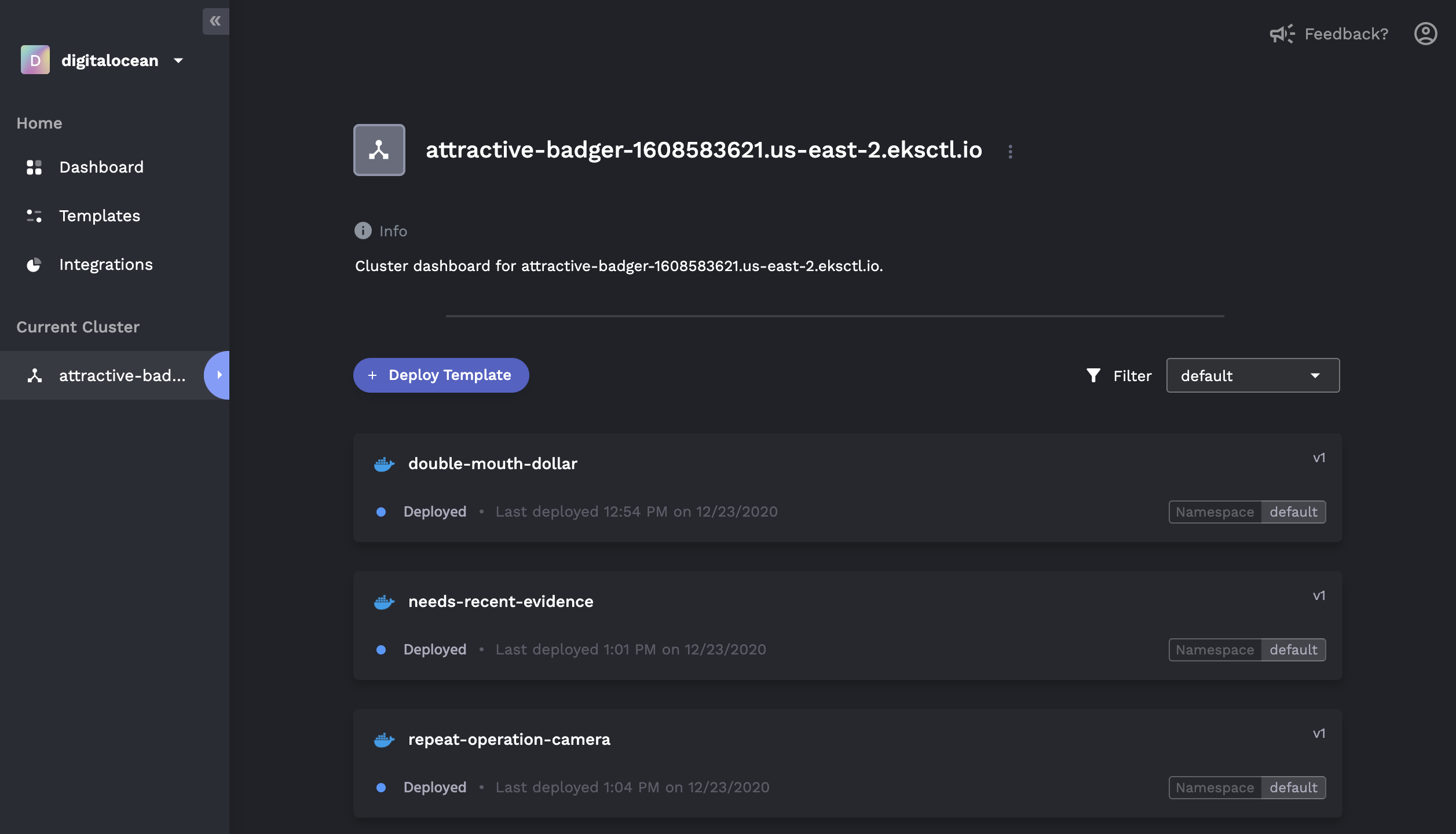
Features
Basics
- One-click provisioning of a Kubernetes cluster in your own cloud console
- ✅ AWS
- ✅ GCP
- ✅ Digital Ocean
- Simple deploy of any public or private Docker image
- Auto CI/CD with buildpacks for non-Dockerized apps
- Heroku-like GUI to monitor application status, logs, and history
- Application rollback to previously deployed versions
- Zero-downtime deploy and health checks
- Monitor CPU, RAM, and Network usage per deployment
- Marketplace for one click add-ons (e.g. MongoDB, Redis, PostgreSQL)
DevOps Mode
For those who are familiar with Kubernetes and Helm:
- Connect to existing Kubernetes clusters that are not provisioned by Porter
- Visualize, deploy, and configure Helm charts via the GUI
- User-generated form overlays for managing
values.yaml - In-depth view of releases, including revision histories and component graphs
- Rollback/update of existing releases, including editing of raw
values.yaml

Docs
Below are instructions for a quickstart. For full documentation, please visit our official Docs.
Getting Started
Sign up and log into Porter Dashboard.
Create a Project and put in your cloud provider credentials. Porter will automatically provision a Kubernetes cluster in your own cloud. It is also possible to link up an existing Kubernetes cluster.
🚀 Deploy your applications from a git repository or Docker image registry.
Running Porter Locally
While it requires a few additional steps, it is possible to run Porter locally. Follow this guide to run the local version of Porter.
Want to Help?
We welcome all contributions. If you're interested in contributing, please read our contributing guide and join our Discord community.
