template-versioning-and-upgrades.md 2.3 KB
📘
Note: this functionality was introduced in Porter release 0.3.0. By default, all charts deployed before this release were versioned with
v0.1.0. If you experience any issues upgrading fromv0.1.0, it is recommended that you re-deploy the service with the latest version from the Launch tab.
Deploying a Specific Template Version
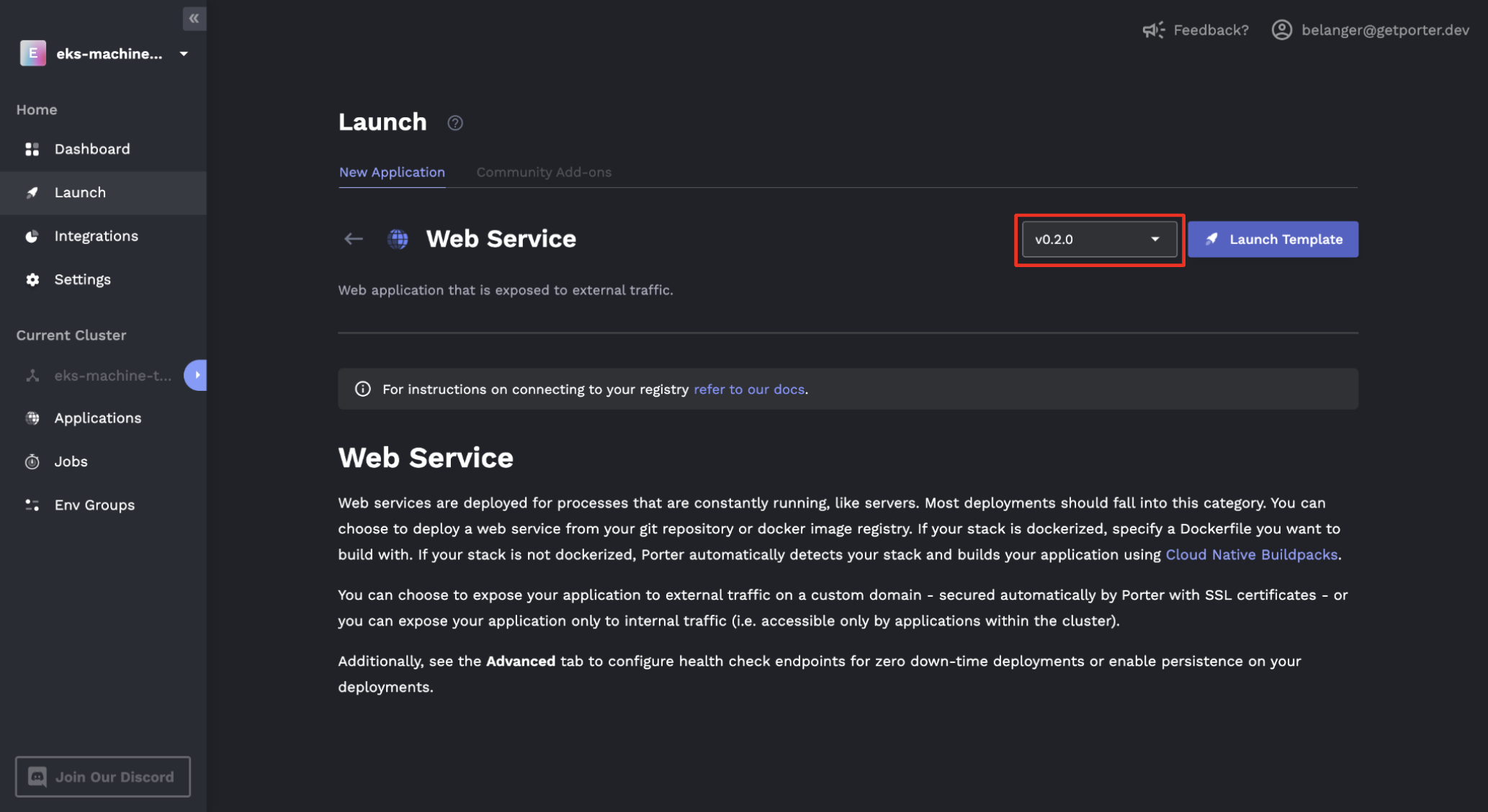
Every application template that you deploy on Porter has a specific version. You will be given the option to select the version when you are launching the template:
How to Upgrade
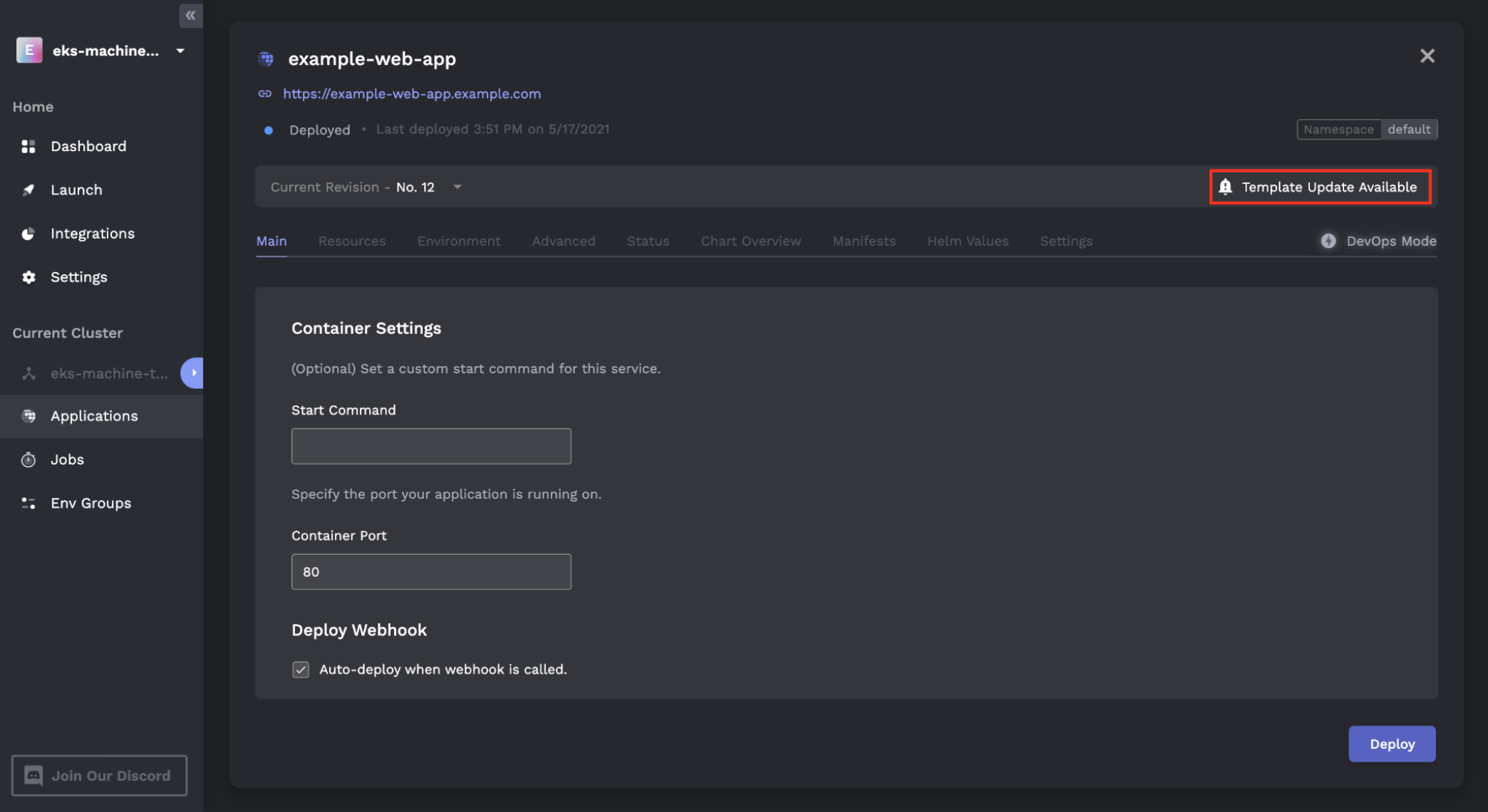
After deploying the template, you will be notified if a chart upgrade is available:
This upgrade will be of three different types, following semantic versioning guidelines:
- Patch upgrade (ex.
v0.20.0 -> v0.20.1): upgrades with backwards-compatible bug fixes. These upgrades will not require any configuration changes: you will simply be asked to upgrade the chart, and the upgrade will occur after confirmation. - Minor upgrade (ex.
v0.20.0 -> v0.21.0): new features with backwards-compatible configuration. These upgrades will not require any configuration changes: you will simply be asked to upgrade the chart, and the upgrade will occur after confirmation. - Major upgrade (ex.
v0.20.0 -> v1.0.0): substantial new feature sets that may require configuration changes. These upgrades will link to docs describing the upgrade process: we will try our best to make all major upgrades as backwards-compatible as possible, with any backwards incompatibilities documented clearly.
Reverting an Upgrade
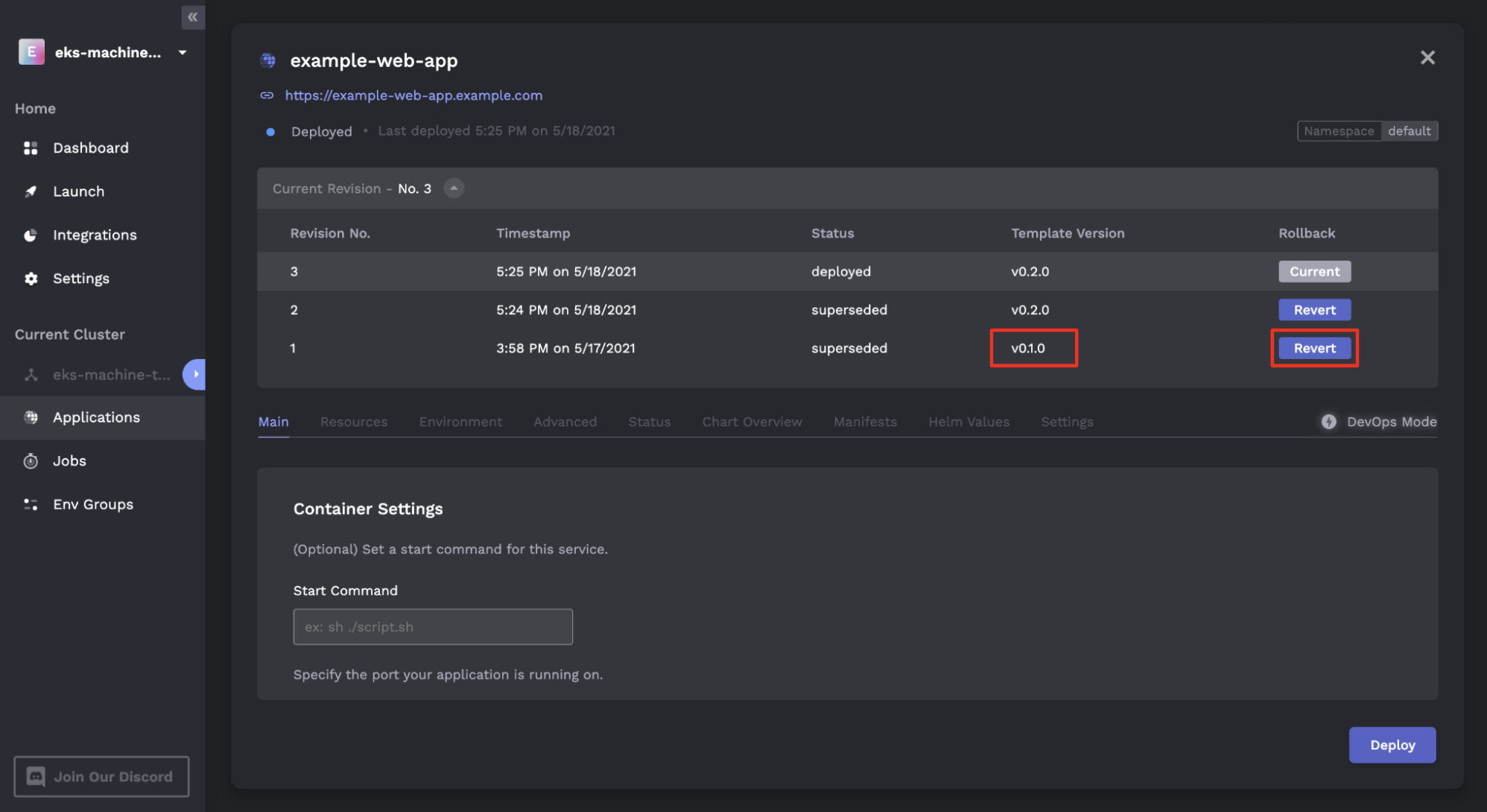
If an upgrade causes unexpected behavior or introduces a bug, you will be able to revert this upgrade immediately from the Porter dashboard. You can do this by clicking into the chart, expanding the list of revisions, and clicking on the "Revert" button to roll back the version: