
advanced-nginx-settings.md 1.6 KB
🚧
Note: these advanced configuration will only work if you've set up a custom domain. They will not work on
*.porter.rundomains.
Every cluster provisioned by Porter by default uses an NGINX ingress controller to connect your web applications to the internet. There are different options for customizing the NGINX configuration that a specific application uses.
Most of the time, you can customize the NGINX configuration by adding an "Ingress Annotation" when deploying a web service. This can be found in the "Advanced" tab of the web template:
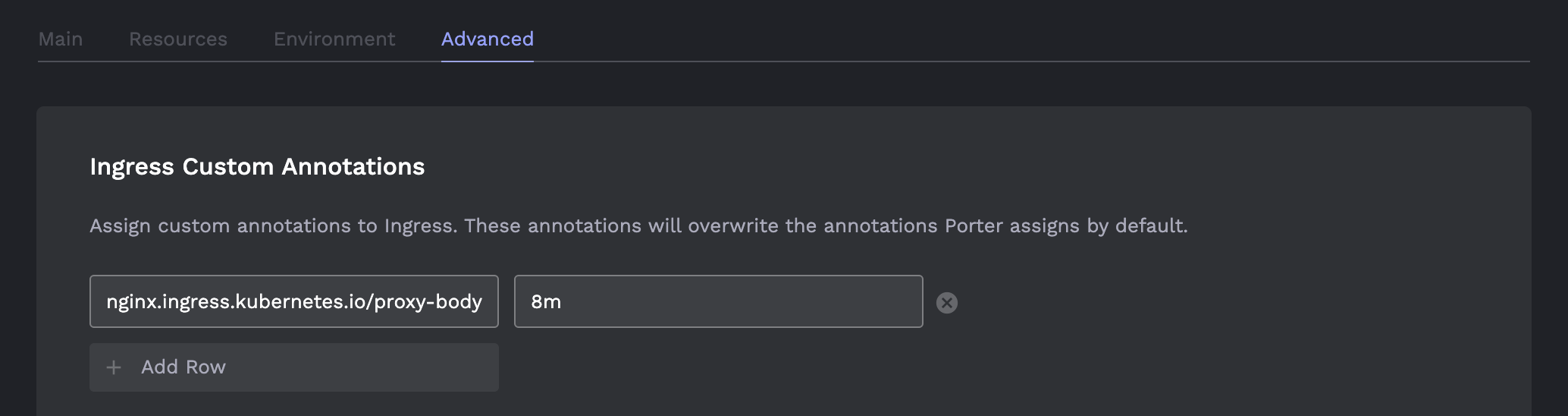
To add an annotation, simply click "Add row" and add key-value pairs for the annotation.
📘
Note: this document attempts to cover the most common use-cases. To view the full list of annotations, go here.
NGINX Settings Options
Client Max Body Size
If you are getting undesired 413 Request Entity Too Large errors, you can increase the maximum size of the client request by setting the field client_max_body_size. You can do this by adding the following annotation:
nginx.ingress.kubernetes.io/proxy-body-size: 8m
This will set the maximum client request body size to 8 megabytes. Read more about NGINX units.