
deploying-from-git-repo.md 3.6 KB
Porter lets you deploy a service directly from a Git repository. By default, services on Porter automatically update whenever there is a push to the primary branch (usually main or master) of the connected repo.
📘 Prerequisites
- A repository (public or private) hosted on GitHub
- A Kubernetes cluster and container registry linked to Porter (linked by default if you provisioned through Porter). Note: If you didn't provision through Porter, consult the docs to link an existing cluster or registry.
- (Optional) A Dockerfile that generates the Docker image you would like to run on Porter
Let's get started!
On the Porter dashboard, navigate to the Launch tab in the sidebar and select Web Service -> Launch Template.
Select the Git Repository option. If you have not linked your GitHub account, click "log in with GitHub" to authorize Porter to access your repositories.
📘
Porter will set up CI/CD with Github Actions to automatically build and deploy new versions of your code. You can learn more about how Porter uses Github Actions here.
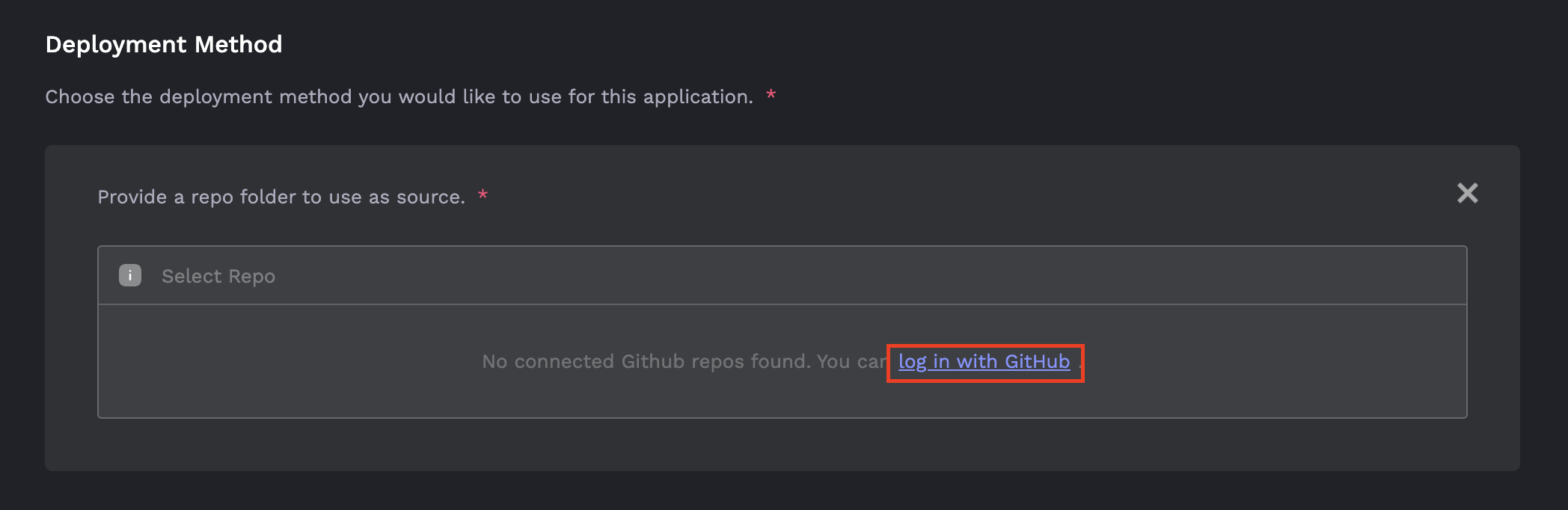
- After returning to the Launch tab you will be prompted to select a repository and source folder. Select the root folder of your service (this is usually where you run a start command like
npm startorpython -m flask run) and click Continue. If you have an existing Dockerfile, you can select it directly instead of using a folder.
📘
If you specify a folder in your repo to use as source, Porter will autodetect the language runtime and build your application using Cloud Native Buildpacks. For more details refer to our guide on requirements for auto build.
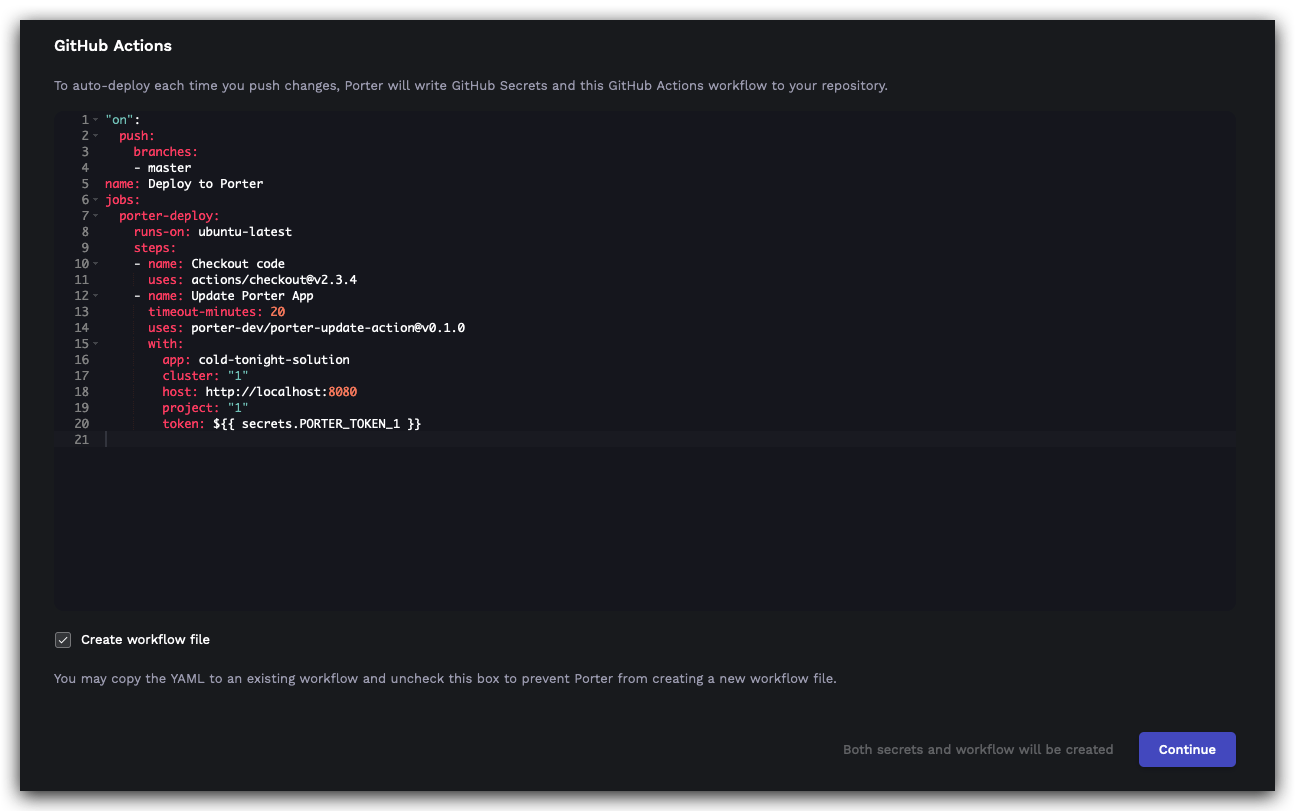
- Click Continue once your source has been connected. This will take you to the GitHub Actions page, where you can see a workflow that will be created in the selected repository for automatically deploying new changes as they are pushed.
You can skip the creation of this workflow using the Create workflow file toggle, in case you wish to manually add theporter-update-actionto a different workflow of your choice.
You can proceed further by clicking Continue after this step.
- Under Additional Settings, you can configure remaining options like your service's port and computing resources. Once you're ready, click the Deploy button to launch. You will be redirected to the cluster dashboard where you should see your newly deployed service.
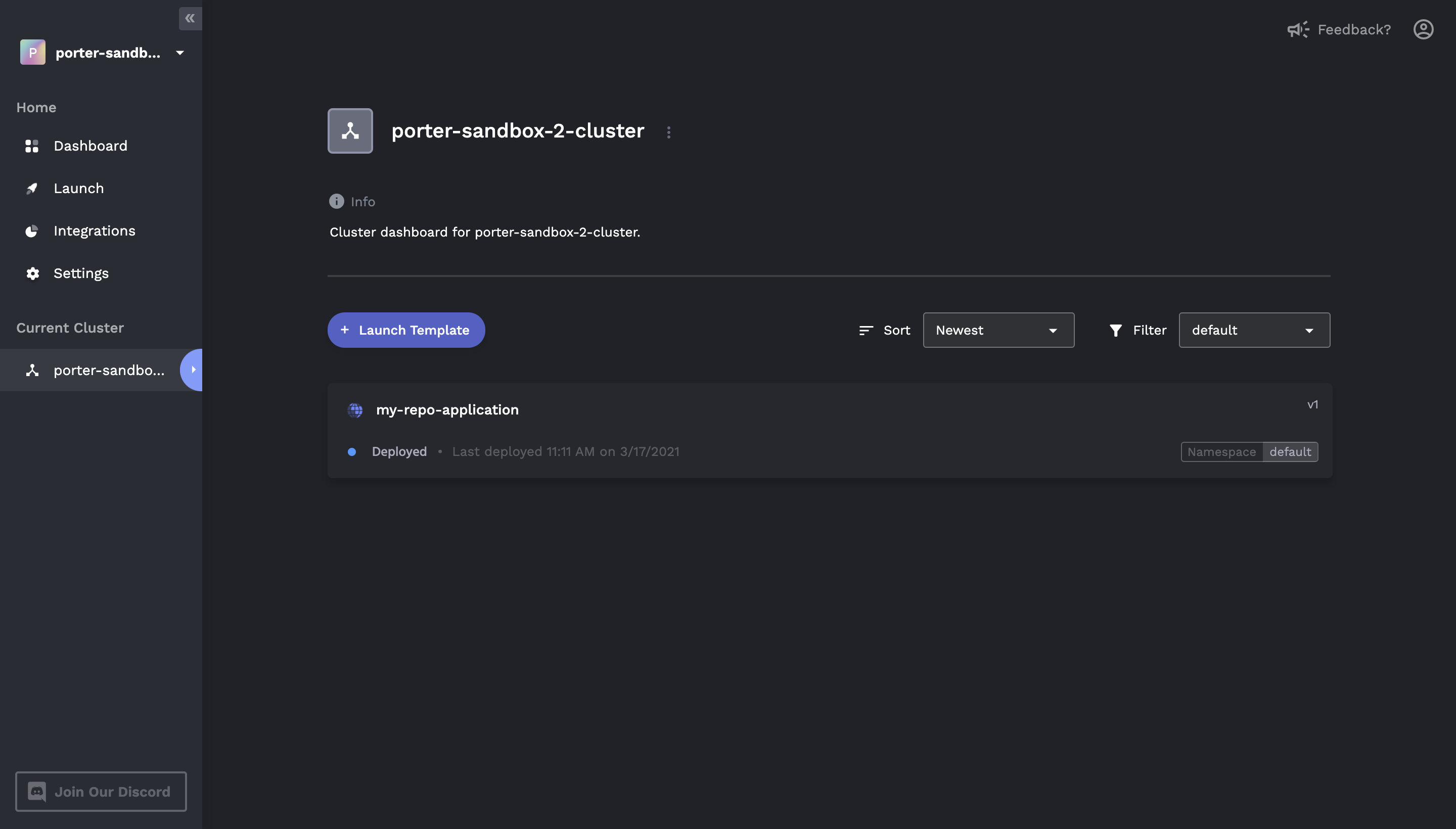
- The first time your service is being built, your deployment will use a placeholder Docker image until the GitHub Action has completed. You can monitor the status of the generated GitHub Action by checking the Actions tab in your linked repository.
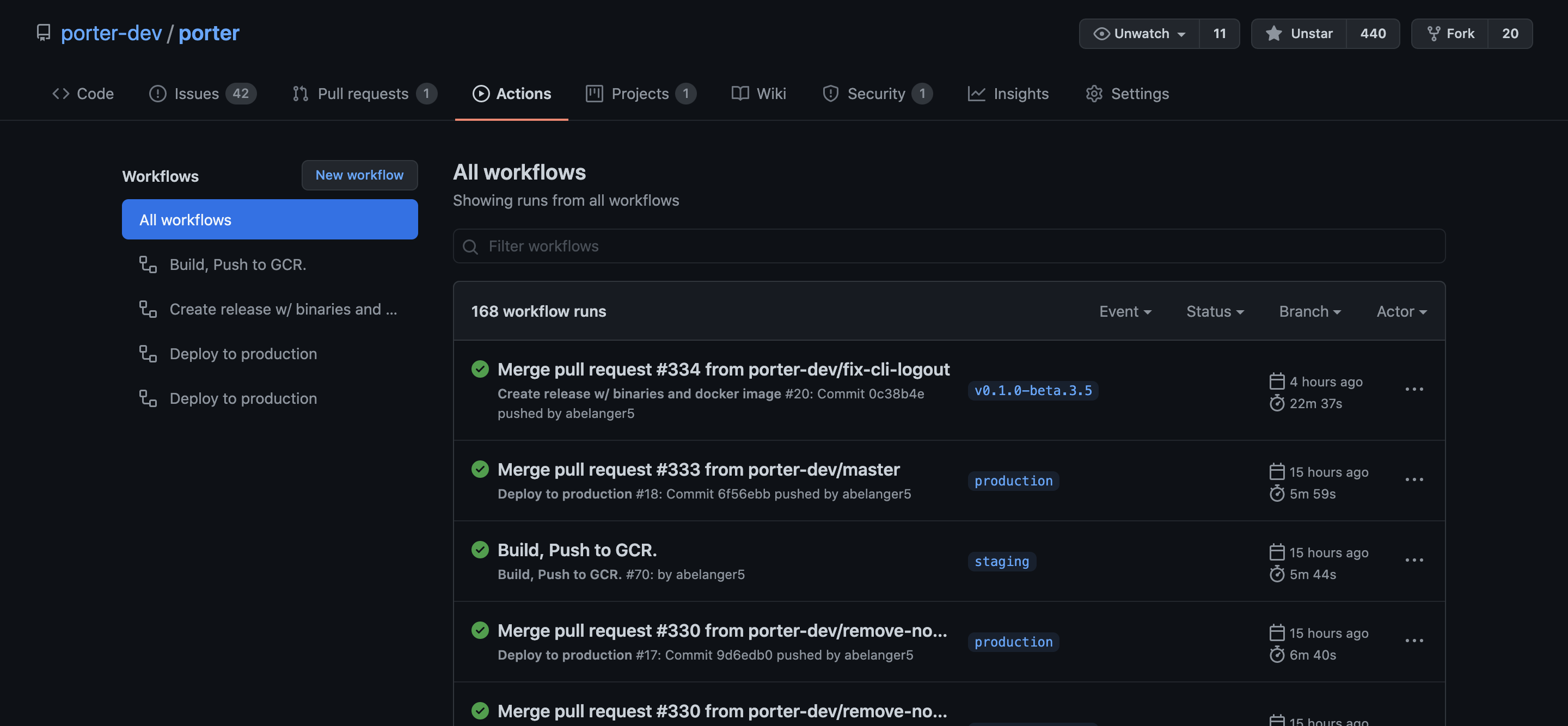
After the GitHub Action has finished running, you can refresh the Porter dashboard. The new version of your service should have been successfully deployed.