deploying-django-application-non-docker.md 3.6 KB
Deploy Django Application (Non-Dockerize)
To deploy your Django Application in Porter. You need to tweak something on your Django Application.
📘 Prerequisites
- Django Application
- Docker Registry integration on your account (See docs)
Prepare Django Application
Install
django-allow-cidr(Django middleware to enable the use of CIDR IP ranges inALLOWED_HOSTS)pip install django-allow-cidrGo to Django Settings and add os.environ.get in allowed host.
ALLOWED_HOSTS = os.environ.get("DJANGO_ALLOWED_HOSTS", default='127.0.0.1').split(" ")Add this below allowed host. Put CIDR according to the K8s kubelet CIDR
ALLOWED_CIDR_NETS = os.environ.get("ALLOWED_CIDR_NETS", default='10.0.0.0/16').split(" ")Add
django-allow-cidrmiddleware on the top of Django middleware:MIDDLEWARE = [ 'allow_cidr.middleware.AllowCIDRMiddleware', #'django.middleware.security.SecurityMiddleware', ]Add Gunicorn
pip install gunicornAdd static folder and add your HTML and CSS files. Locate static URL settings and add static file dirs below:
STATICFILES_DIRS = (
os.path.join(BASE_DIR, 'static'),
)
STATIC_ROOT = os.path.join(BASE_DIR, 'staticfiles')
Add Procfile and add this:
web: gunicorn <project-name>.wsgi -b 0.0.0.0:8989 --timeout 120

For example:

web: gunicorn djangosample.wsgi -b 0.0.0.0:8989 --timeout 120
Then pip freeze requirements
pip freeze > requirements.txtReference: https://github.com/jimcru21/porter-sample-django-non-docker
Deploy Django in Porter
- Click Web Service then Launch Template
- Name your application. ex. django-sample

- In Deployment Method. Connect git repo. After that, select repo. ( ex. porter-sample-django-non-docker )

- Click Main then continue


- Click web then choose an image destination ( ex. mine is aws (see image) )

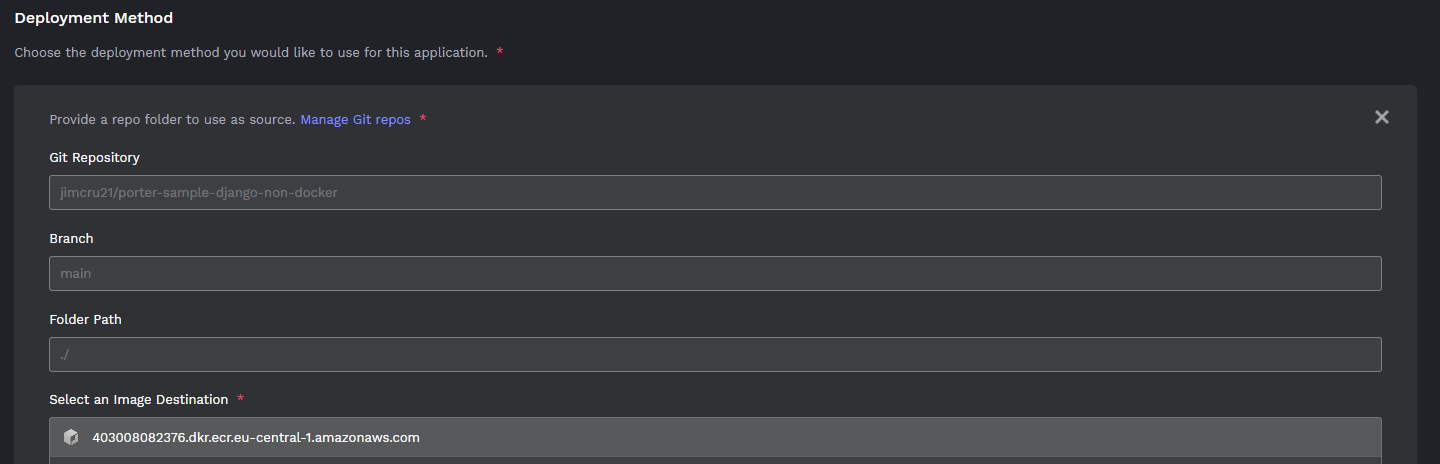
- Then in Destination, just leave it default.
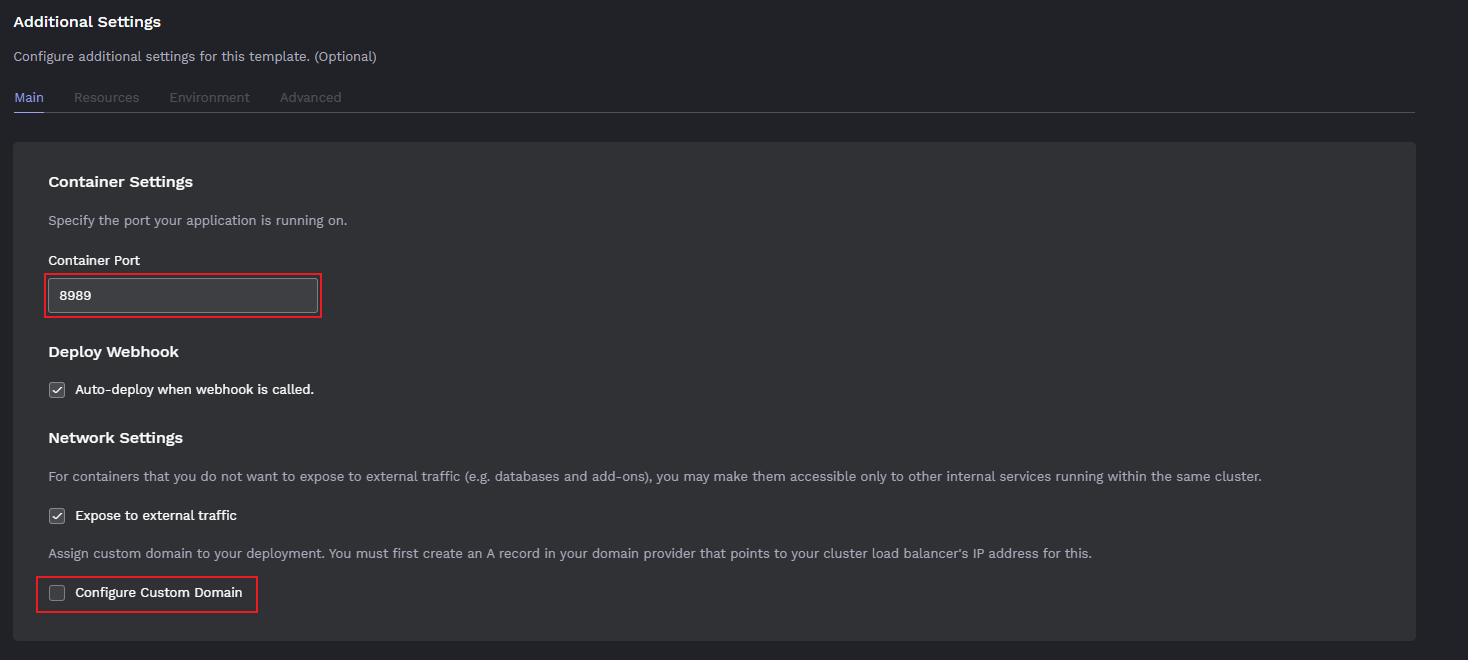
- In Additional settings, specify the container port that you use in gunicorn in Procfile ( ex. 8989).
You can configure your domain, click Configure Custom Domain then put your desire domain name (im using the default porter domain)
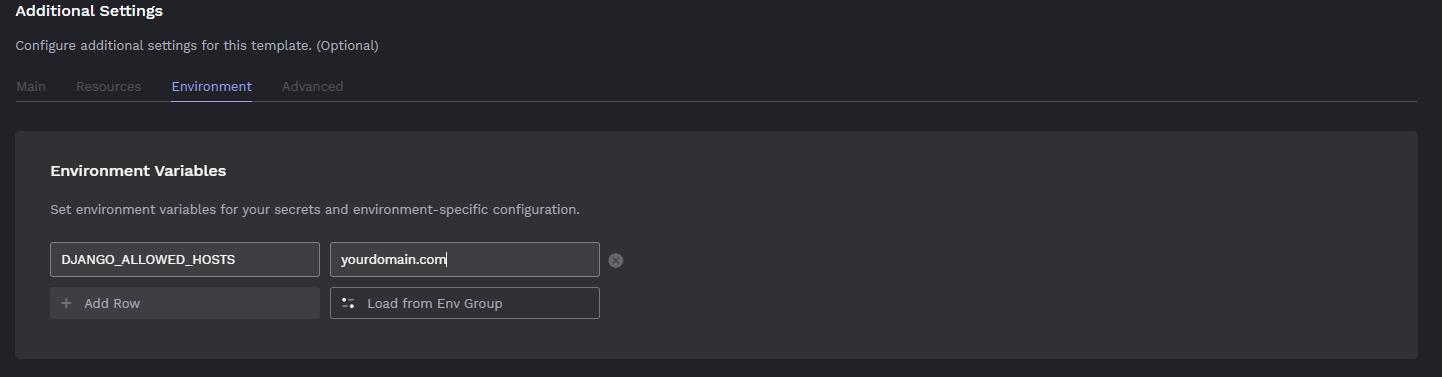
In Environment. Put DJANGO_ALLOWED_HOSTS that we specify on django settings. Then input your domain that you put in Configure Custom Domain.
Click Deploy then wait for buildpack to finish and push to porter. (You can see it on your repository under the Action tab )